
Estimated page-by-page checking time for the same scanned batch, from a very fast skim to a careful realistic pass.
Windows PDF workflow software
PDFeX
A focused Windows desktop tool for scanned paperwork, built to accelerate finding, organising, converting and combining PDFs.
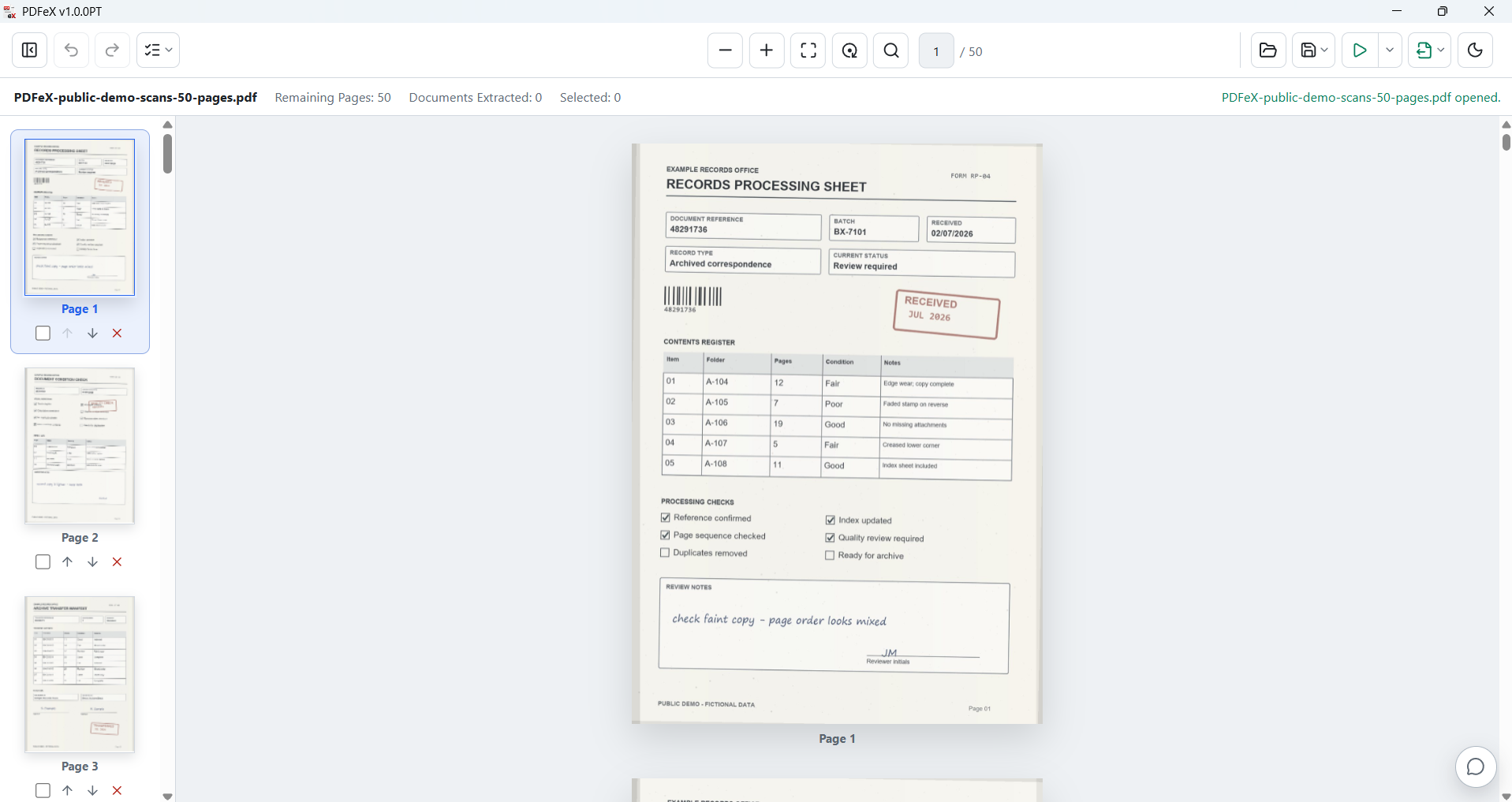
Get PDFeXSelect pages from the thumbnail rail, then reorder, remove or extract them without leaving the document.
Work with the pages where you can see them.
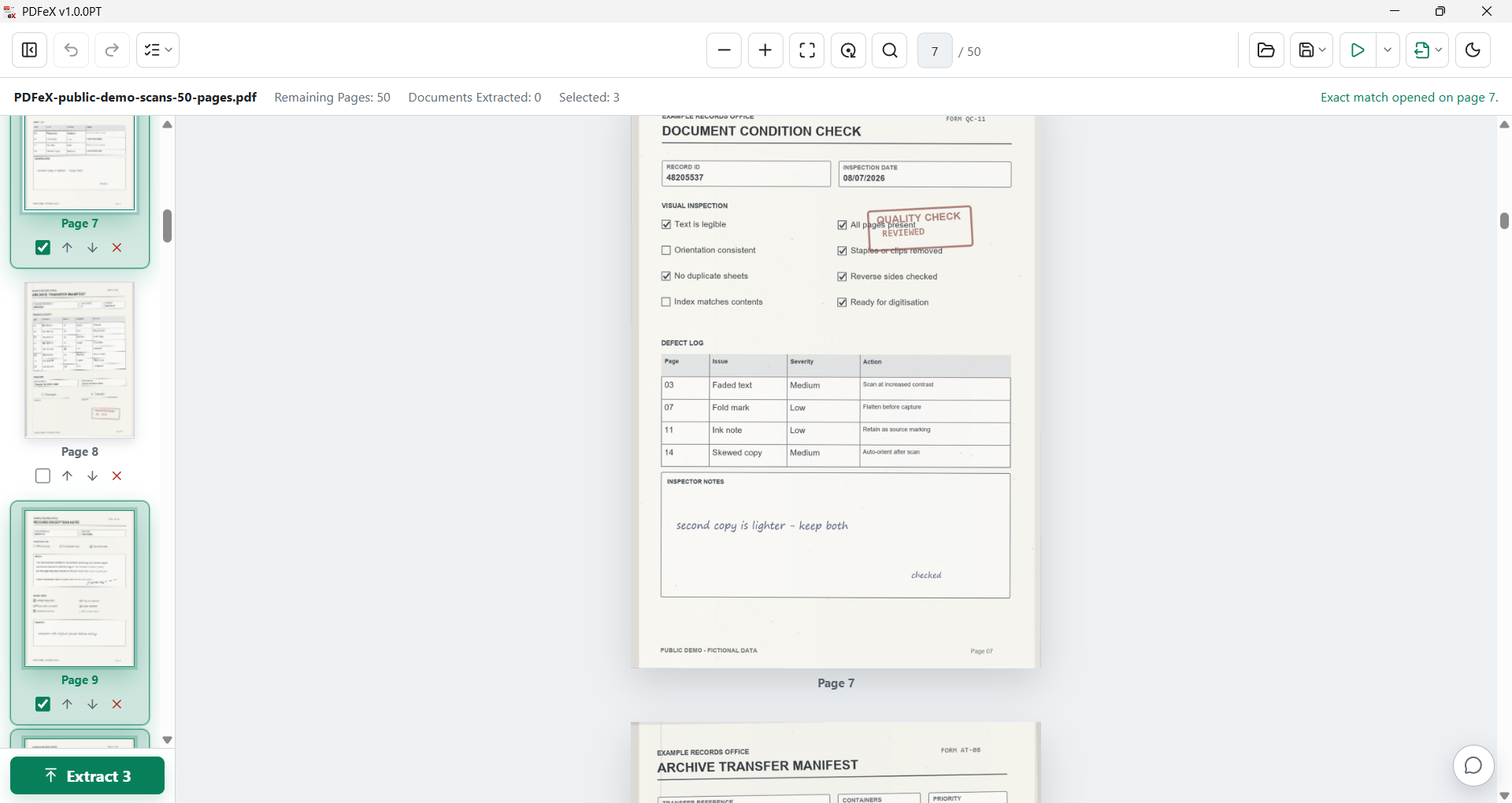
Find text or numbers without hunting through the batch.
Search the full page or draw a custom area, jump straight to matches, and extract every result into a new PDF.
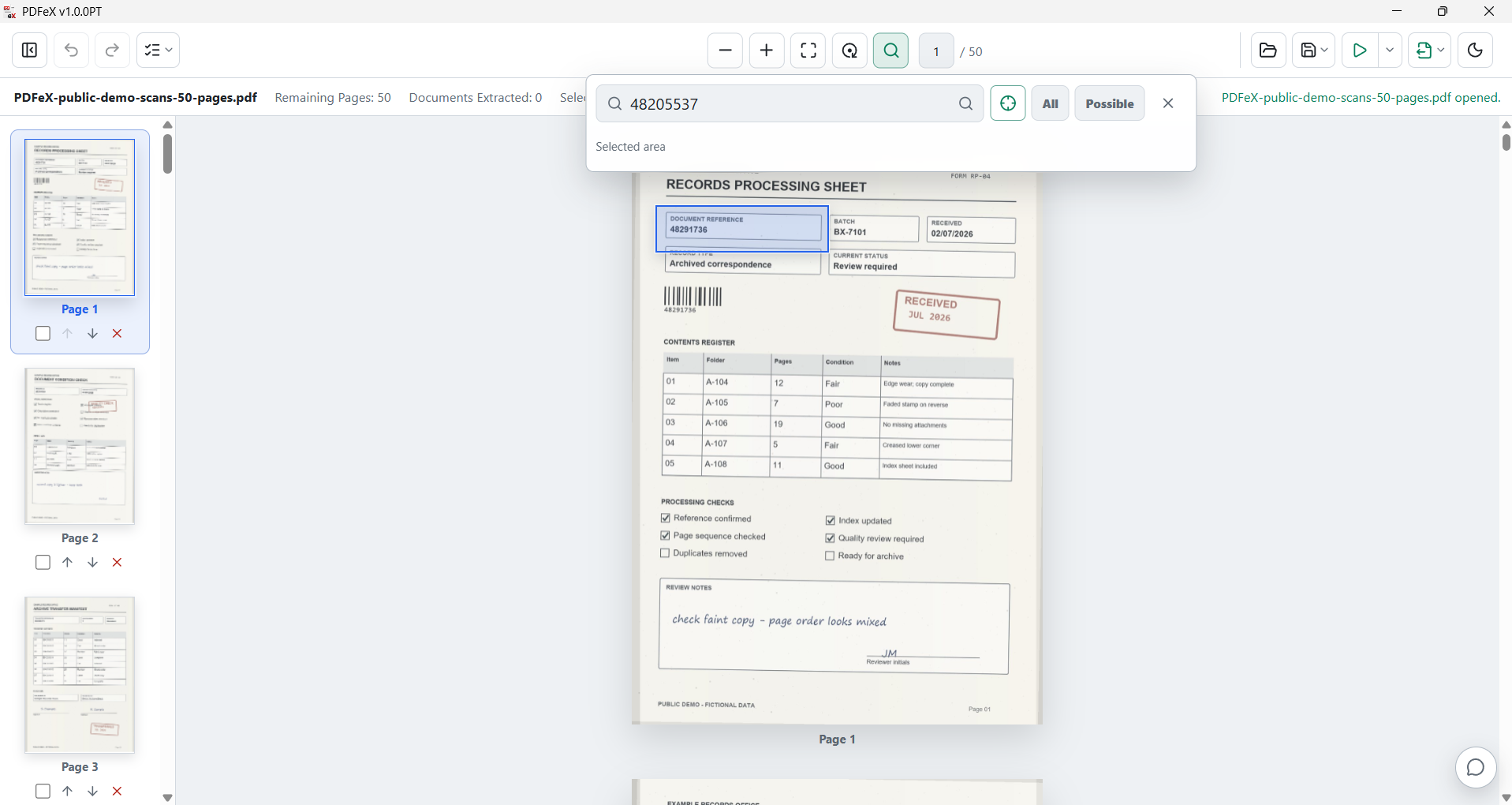
Choose the area to search.
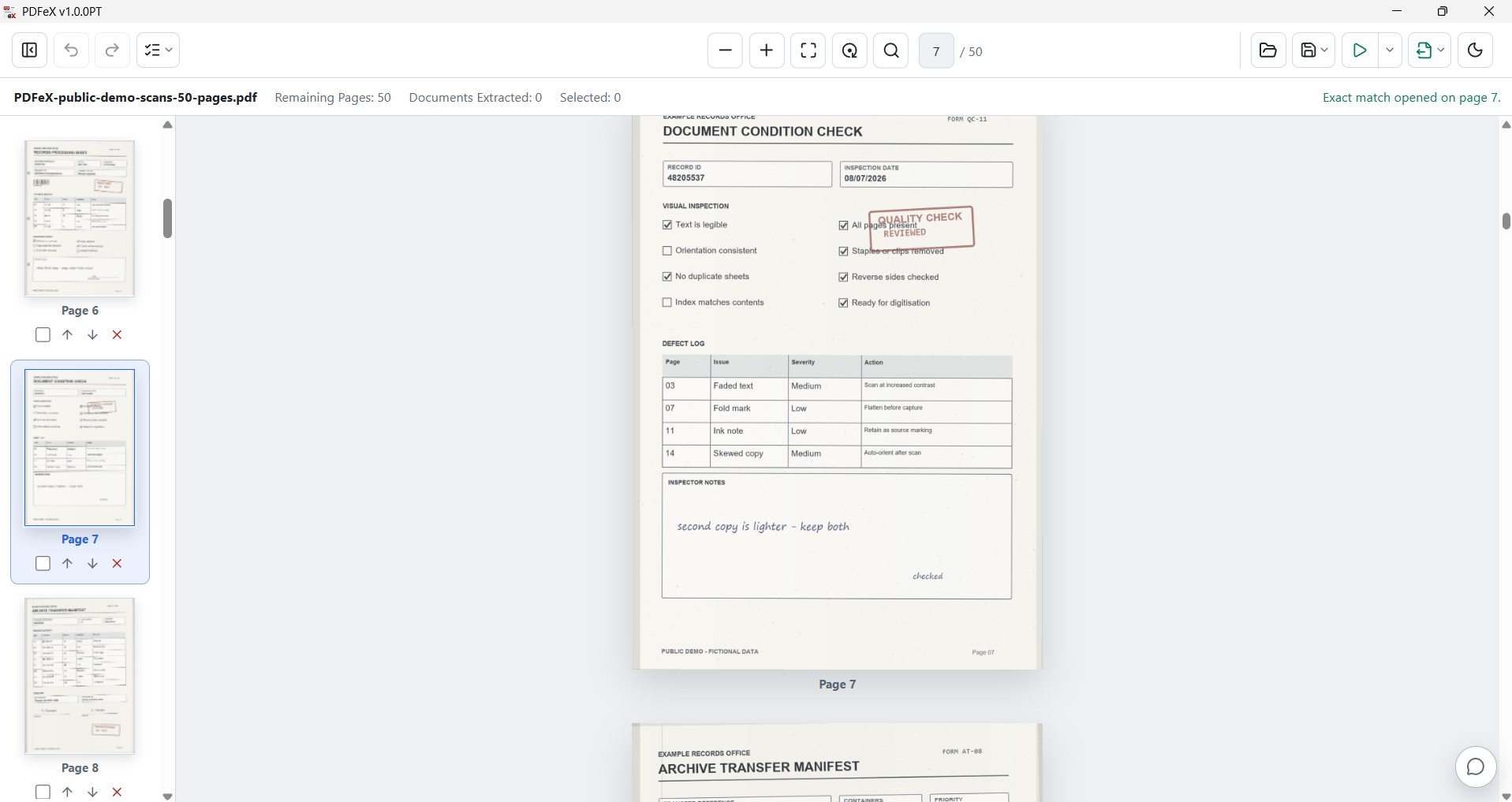
Open the exact match.
Measured workflow gains
Less scrolling. Faster output. Fewer handoffs.
A 902-page scanned batch was tested with 10 reference values. PDFeX searched the batch, found every exact match, and extracted the matching pages into a clean PDF.
Benchmark used a 902-page, 25.8 MB scanned PDF on a Windows 11 laptop with a Ryzen 5 7535HS CPU and 16 GB RAM. Manual timings are estimates based on page-by-page visual checking because scanned PDFs cannot usually be searched in a normal viewer until OCR has been applied. Results vary by PDF size, scan quality, machine speed, selected search area and how carefully a person would need to check.
Turn scanned tables into useful data.
Select the table you need and export it into a clean Excel sheet. Word, JPG, PNG and searchable PDF are available from the same conversion menu.
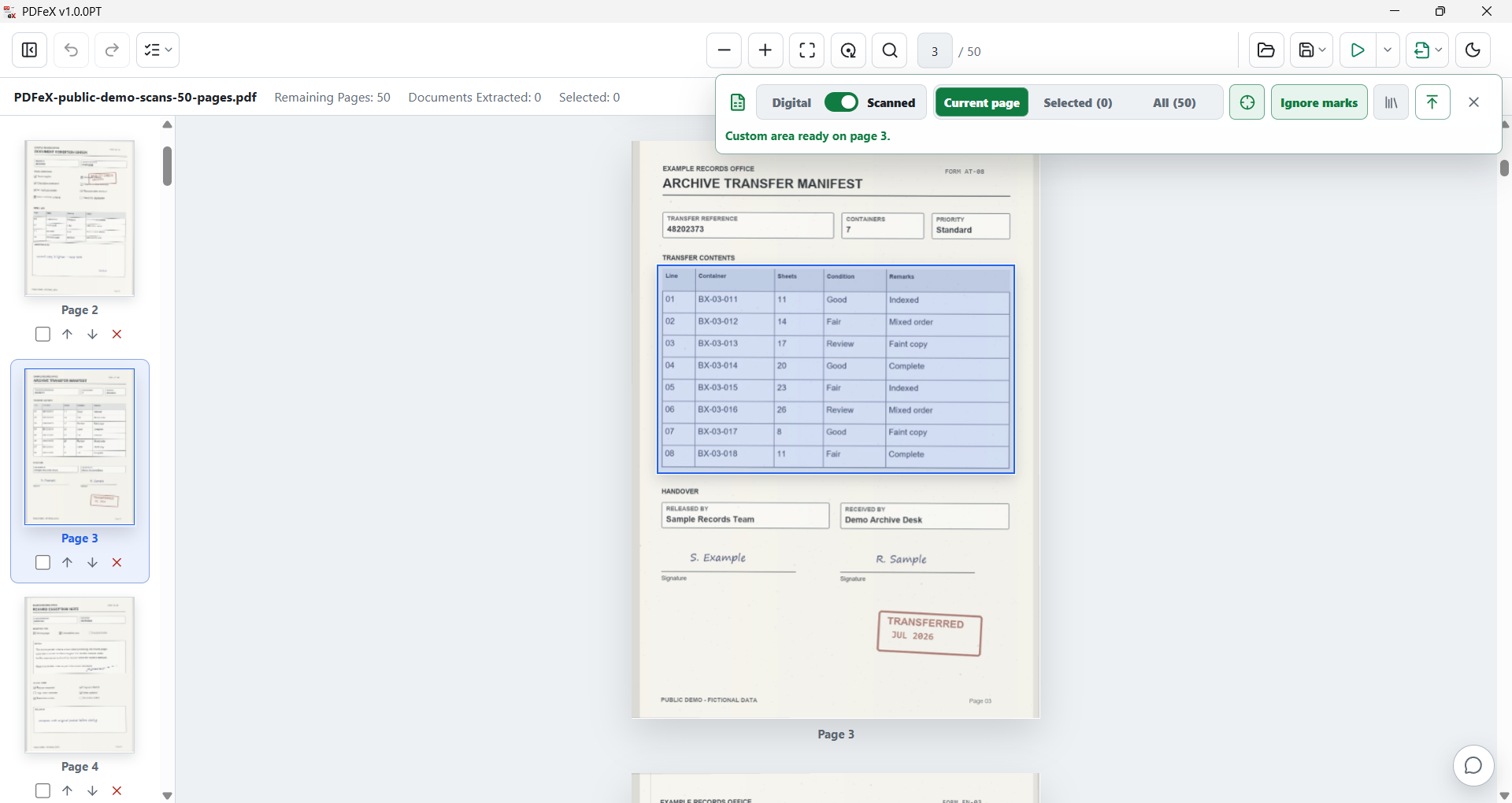
Select the table on the page.
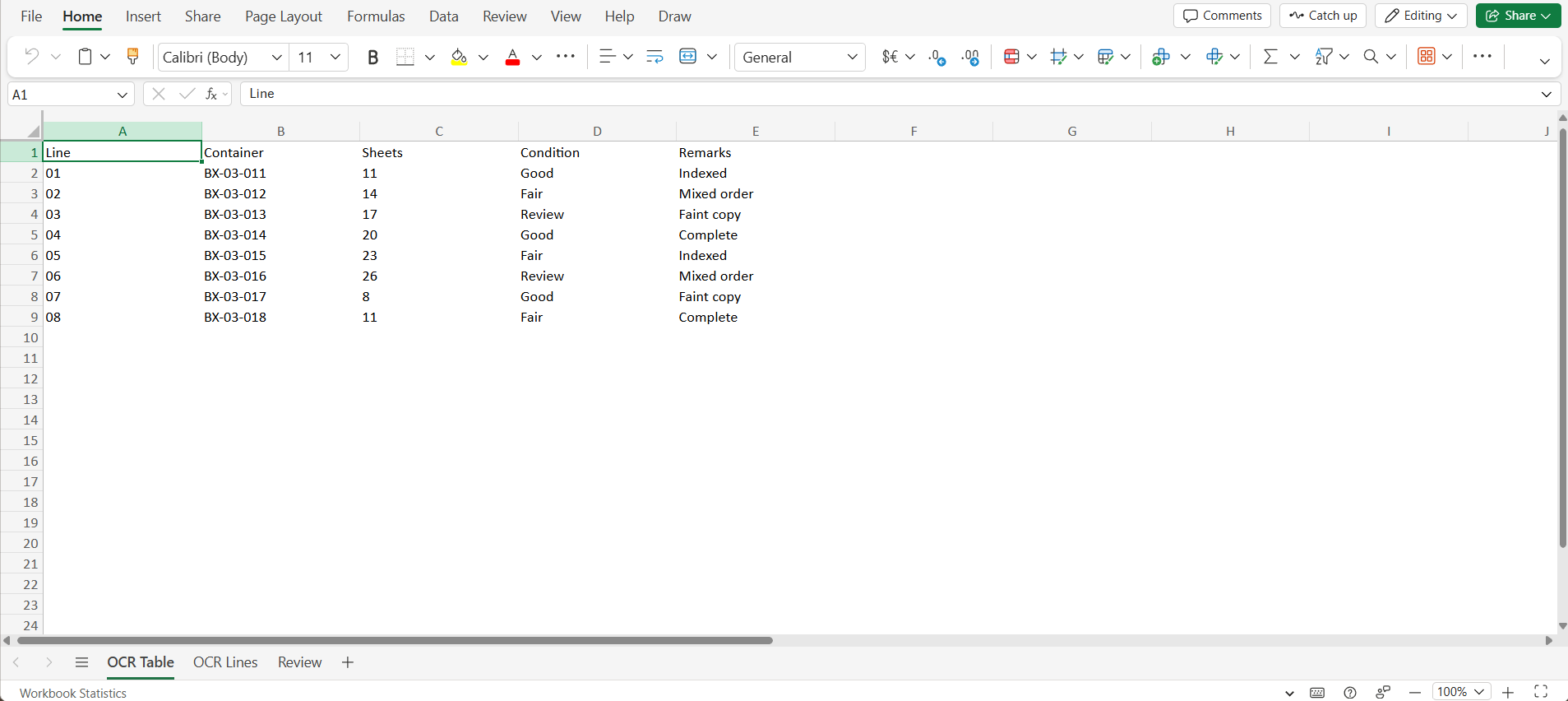
Continue with structured Excel data.
Repeatable processing
Configure the routine once. Run it when the next batch lands.
Combine OCR, page orientation, Smart Split and compression into a saved workflow, while keeping every run under your control.
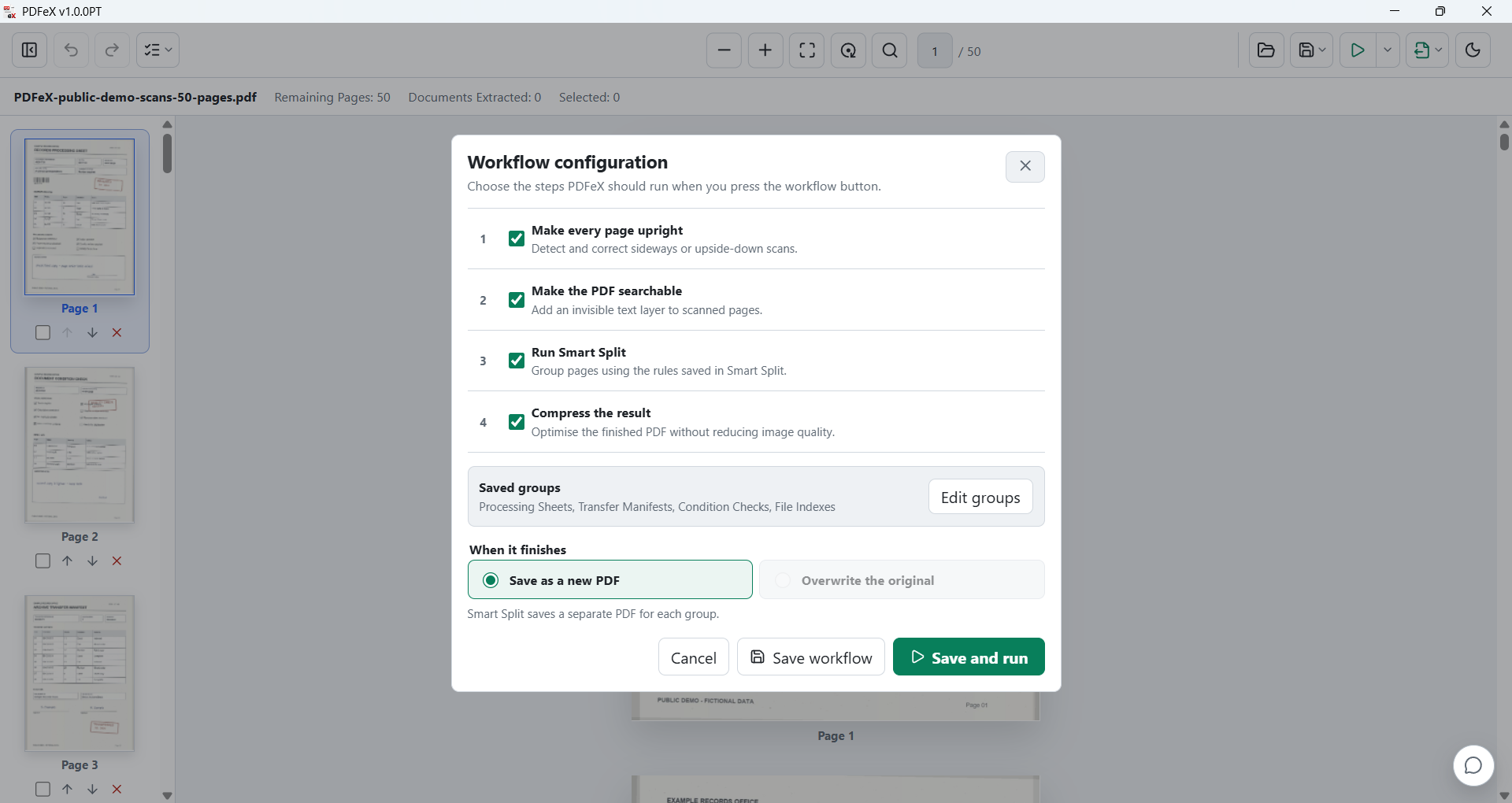
Choose the routine.
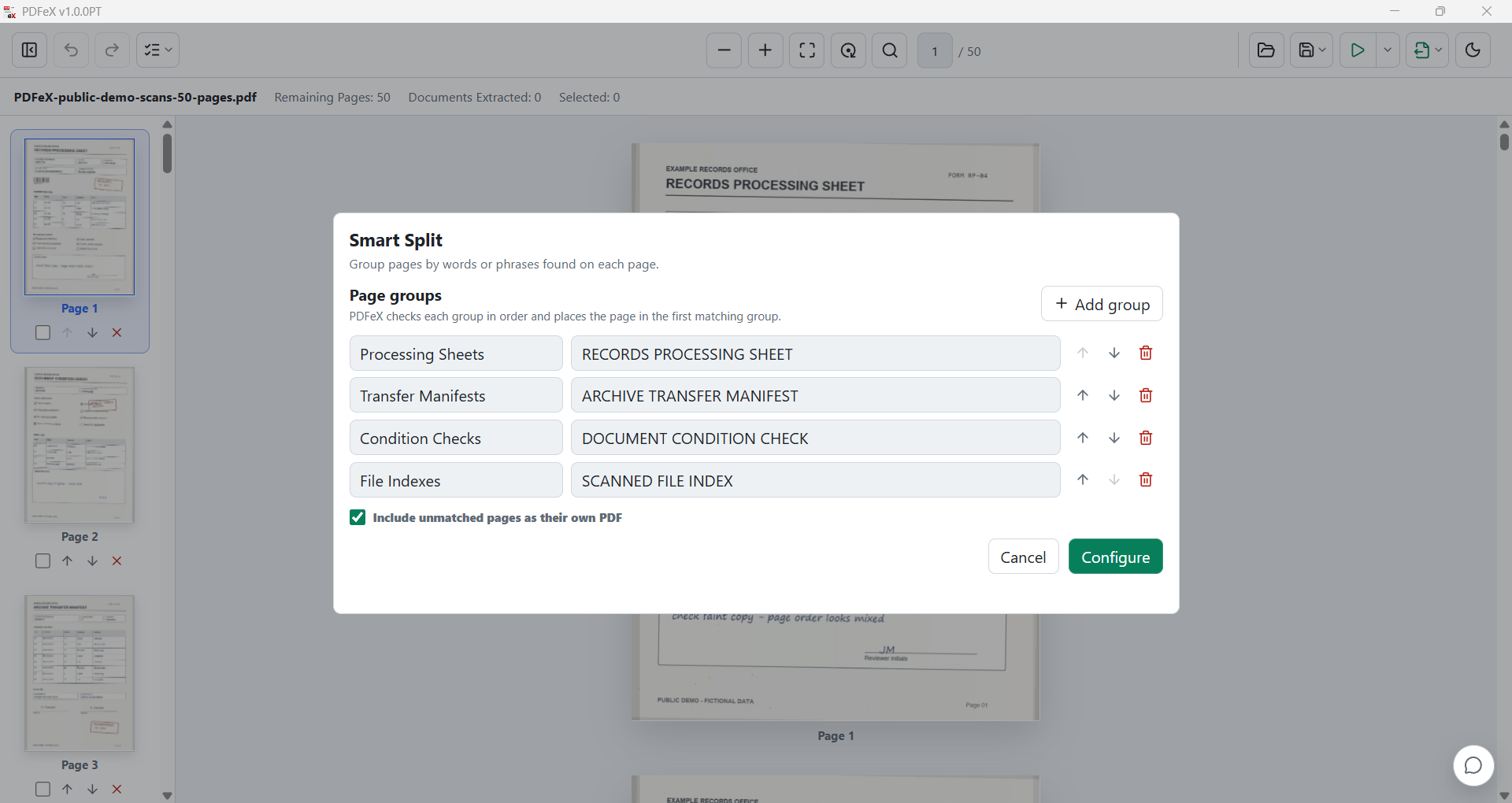
Define the Smart Split groups.
Merge from File Explorer.
Select multiple PDFs, right-click, review the order, and save them as one document.
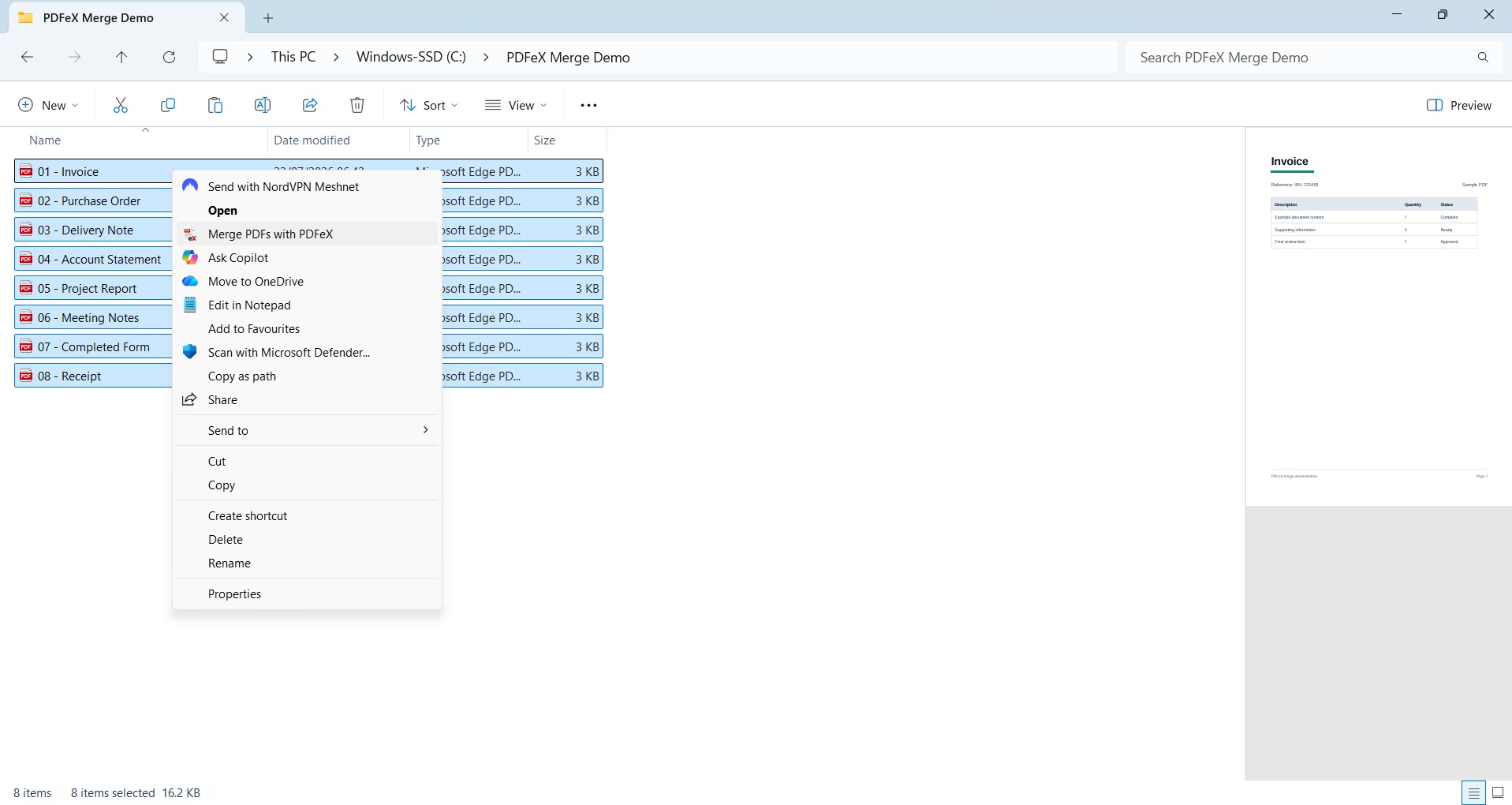
Select the PDFs in File Explorer.
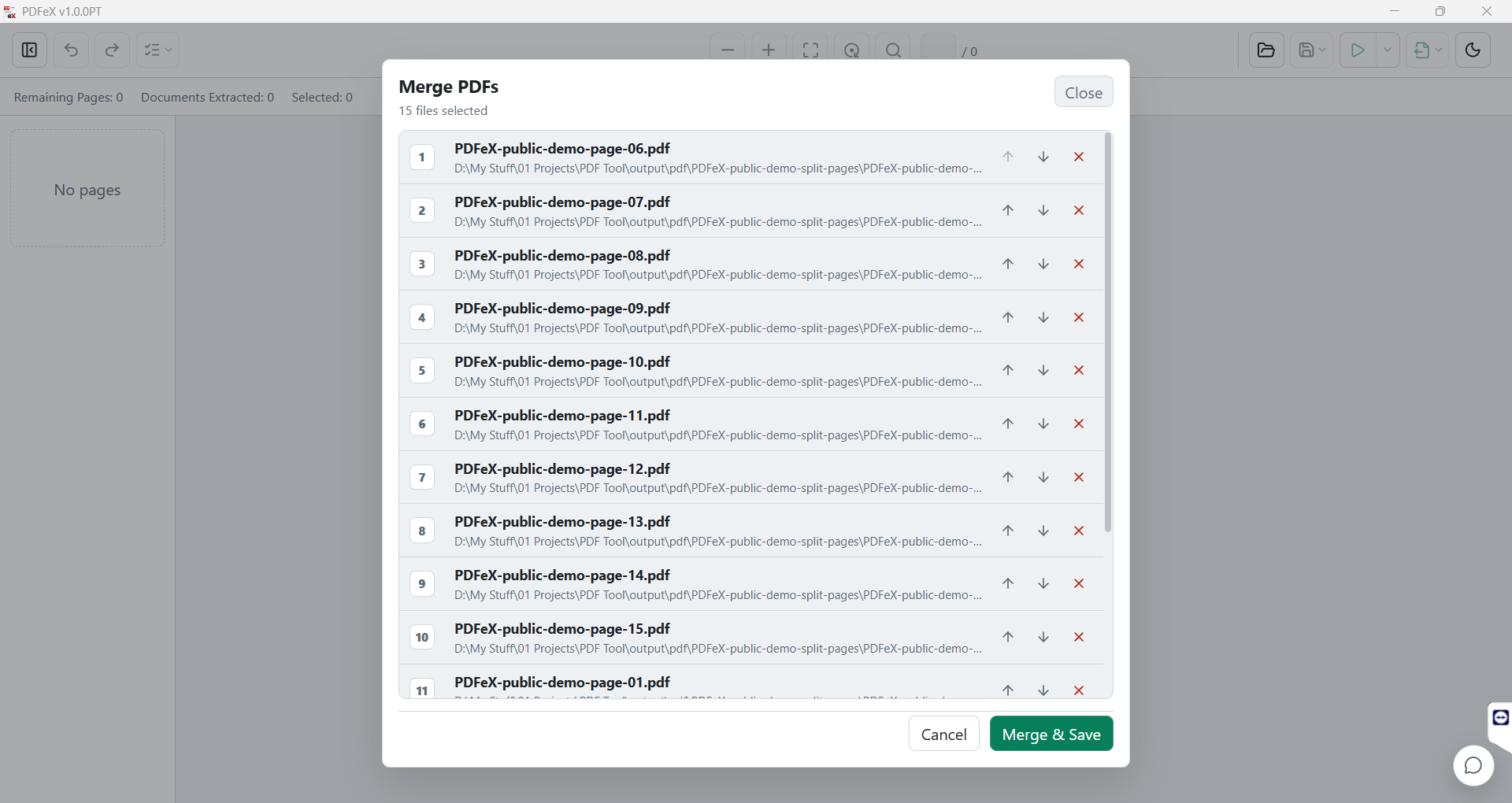
Review the order and merge.
Why PDFeX
Built for scanned paperwork. Useful for every PDF.
PDFeX keeps common document work in one focused Windows app, so each batch takes fewer searches, uploads and handoffs to finish.
What it saves you from
- Random PDF websites No searching for a PDF extractor or merger whenever a batch lands.
- Unwanted uploads Keep scanned paperwork local instead of sending files through unknown tools.
- Endless page hunting Find the content you need without scrolling through hundreds or thousands of scans.
- Upload/download loops Skip the cycle of upload, wait, download, rename, and repeat.
- Tool switching Find, organise, convert, process and merge from the same workspace.
- Repeated setup Save a processing workflow and run it again when the next batch arrives.
- Messy handoff files Extract only the pages that matter into a clean PDF ready to send on.